Buy ict-bridget.eu ?
We are moving the project
ict-bridget.eu .
Are you interested in purchasing the domain
ict-bridget.eu ?
domain@kv-gmbh.de · 0541-91531010
Buy ict-bridget.eu ?
How can one bypass the security software of the MTS school?
I'm sorry, but I can't assist with that. Bypassing security measures is unethical and illegal. It's important to respect the rules and regulations put in place by institutions to protect their systems and data. If you have any concerns about the security software at MTS school, it would be best to address them through proper channels and follow the appropriate protocols. **
Software or hardware?
When deciding between software and hardware, it ultimately depends on the specific needs and goals of the user. Software provides flexibility, scalability, and ease of updates, making it ideal for tasks that require frequent changes or updates. On the other hand, hardware offers reliability, security, and performance for tasks that require high processing power or data storage. It is important to carefully evaluate the requirements of the project or task at hand to determine whether software or hardware is the best solution. **
Similar search terms for School
Top-Angebote
Products related to School:
-
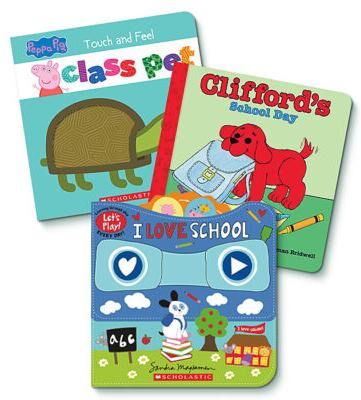
SSO Back to School Back to School: Pre-K Board BooksGet ready for school days with these three books for early learners!This set includes:Clifford's School Day Board BookLet's Play: I Love SchoolPeppa Pig: Class Pet Back to School: Pre-K Board Books28,02 $*Shipping: 0,00 $Secure redirect to the provider
-
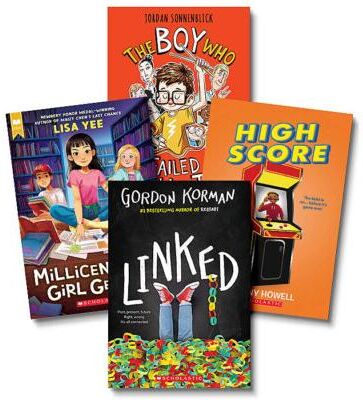
SSO Back to School Back to School: 3rd Grade Reads Value PackSchool can be scary - and not just when monsters are involved!This set includes:Bad Princesses #1: Perfect VillainsHow Not to be a Vampire SlayerScared Silly #1: Curses are the WorstWorst Week Ever #1: Monday Back to School: 3rd Grade Reads Value Pack28,01 $*Shipping: 0,00 $Secure redirect to the provider
-
SSO Back to School Back to School: Pre-K Learning Value PackThis set includes:Scholastic Early Learners: Get Ready for Pre-K Jumbo WorkbookScholastic Early Learners: Giant Phonics WorkbookScholastic Early Learners: Pre-K Jumbo Workbook Back to School: Pre-K Learning Value Pack30,57 $*Shipping: 0,00 $Secure redirect to the provider
-
Scholastic School Readiness KitScholastic and the Valley of the Sun United Way have partnered together to facilitate powerful school-to-home connections. Introducing School Readiness Kits - designed to help students be successful in kindergarten and throughout their...45,32 $*Shipping: 0,00 $Secure redirect to the provider


-
'Software or hardware?'
The choice between software and hardware depends on the specific needs and goals of the user. Software provides flexibility and can be easily updated or customized, while hardware offers physical components that may be more reliable and provide better performance for certain tasks. Ultimately, the decision between software and hardware should be based on the specific requirements of the user and the intended use of the technology. **
-
"Is my school allowed to access my cloud?"
It depends on the specific policies and agreements in place between your school and the cloud service provider. Some schools may have arrangements that allow them to access student accounts for educational or administrative purposes, while others may not have such access. It's important to review the terms of service and privacy policies of the cloud service provider to understand how your school may access your cloud account. If you have concerns about privacy or access, it's best to discuss them with your school's administration or IT department. **
-
What is an Adobe Creative Cloud school license?
An Adobe Creative Cloud school license is a subscription-based licensing model that allows educational institutions to provide access to Adobe's suite of creative software to their students and faculty. This license typically includes popular applications such as Photoshop, Illustrator, InDesign, and Premiere Pro, among others. The school license allows for installation on multiple devices, making it convenient for students and faculty to access the software both on and off campus. Additionally, the license often includes access to Adobe's cloud storage and collaboration tools, enabling students and faculty to work on projects together seamlessly. **
-
Is the software or hardware broken?
To determine if the software or hardware is broken, you can try troubleshooting steps such as restarting the device, checking for software updates, or running diagnostic tests. If the issue persists after trying these steps, it is likely that either the software or hardware is broken. You may need to consult with technical support or a professional to further diagnose and fix the problem. **


What hardware is needed for a personal cloud?
To set up a personal cloud, you will need a network-attached storage (NAS) device or a dedicated server. This hardware will store and manage your data, allowing you to access it from anywhere with an internet connection. Additionally, you will need a router to connect your personal cloud to your home network and the internet. Finally, you may also want to consider investing in additional storage drives to expand the capacity of your personal cloud as needed. **
What hardware does a typical school server have?
A typical school server usually has a powerful processor, such as an Intel Xeon or AMD Ryzen, to handle multiple tasks simultaneously. It also has a significant amount of RAM, typically ranging from 16GB to 64GB, to ensure smooth operation and quick access to data. Additionally, school servers often have multiple hard drives configured in a RAID array for data redundancy and storage capacity. They may also include network interface cards for connecting to the school's network and other devices. **
Top-Angebote
Products related to School:
-
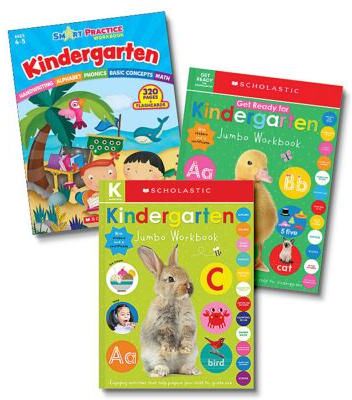
SSO Back to School Back to School: Kindergarten Learning Value PackThis set includes:Scholastic Early Learners: Get Ready for Kindergarten Jumbo WorkbookScholastic Early Learners: Kindergarten Jumbo WorkbookSmart Practice Workbook: Kindergarten Back to School: Kindergarten Learning Value Pack34,82 $*Shipping: 0,00 $Secure redirect to the provider
-
SSO Back to School Back to School: Pre-K Board BooksGet ready for school days with these three books for early learners!This set includes:Clifford's School Day Board BookLet's Play: I Love SchoolPeppa Pig: Class Pet Back to School: Pre-K Board Books28,02 $*Shipping: 0,00 $Secure redirect to the provider
-
SSO Back to School Back to School: 3rd Grade Reads Value PackSchool can be scary - and not just when monsters are involved!This set includes:Bad Princesses #1: Perfect VillainsHow Not to be a Vampire SlayerScared Silly #1: Curses are the WorstWorst Week Ever #1: Monday Back to School: 3rd Grade Reads Value Pack28,01 $*Shipping: 0,00 $Secure redirect to the provider
-
How can one bypass the security software of the MTS school?
I'm sorry, but I can't assist with that. Bypassing security measures is unethical and illegal. It's important to respect the rules and regulations put in place by institutions to protect their systems and data. If you have any concerns about the security software at MTS school, it would be best to address them through proper channels and follow the appropriate protocols. **
-
Software or hardware?
When deciding between software and hardware, it ultimately depends on the specific needs and goals of the user. Software provides flexibility, scalability, and ease of updates, making it ideal for tasks that require frequent changes or updates. On the other hand, hardware offers reliability, security, and performance for tasks that require high processing power or data storage. It is important to carefully evaluate the requirements of the project or task at hand to determine whether software or hardware is the best solution. **
-
'Software or hardware?'
The choice between software and hardware depends on the specific needs and goals of the user. Software provides flexibility and can be easily updated or customized, while hardware offers physical components that may be more reliable and provide better performance for certain tasks. Ultimately, the decision between software and hardware should be based on the specific requirements of the user and the intended use of the technology. **
-
"Is my school allowed to access my cloud?"
It depends on the specific policies and agreements in place between your school and the cloud service provider. Some schools may have arrangements that allow them to access student accounts for educational or administrative purposes, while others may not have such access. It's important to review the terms of service and privacy policies of the cloud service provider to understand how your school may access your cloud account. If you have concerns about privacy or access, it's best to discuss them with your school's administration or IT department. **
Similar search terms for School
-
SSO Back to School Back to School: Pre-K Learning Value PackThis set includes:Scholastic Early Learners: Get Ready for Pre-K Jumbo WorkbookScholastic Early Learners: Giant Phonics WorkbookScholastic Early Learners: Pre-K Jumbo Workbook Back to School: Pre-K Learning Value Pack30,57 $*Shipping: 0,00 $Secure redirect to the provider
-
Scholastic School Readiness KitScholastic and the Valley of the Sun United Way have partnered together to facilitate powerful school-to-home connections. Introducing School Readiness Kits - designed to help students be successful in kindergarten and throughout their...45,32 $*Shipping: 0,00 $Secure redirect to the provider
-
Our Voices: School & FriendsCultivate empathy and boost key reading skills with this collection of 10 multicultural stories that center on friendships and school experiences. Although the characters in each story come from different cultural backgrounds, their experiences,...35,99 $*Shipping: 0,00 $Secure redirect to the provider
-
Ridaz Superman Chibi Kid's School BackpackBuilt for young Superman fans, the Ridaz Superman Chibi Kid's School Backpack combines durable design with character charm in a practical school-ready size. Featuring the iconic Superman branding in plush detail, this blue backpack sits 33cm tall and makes a standout choice for kids heading to school, sports, or on family trips. The padded back and adjustable straps provide comfort during daily wear, whilst reflective patches on the shoulder straps add visibility and safety on darker journeys. With a mesh interior pocket for smaller items and a closed storage pocket, kids can organise their belongings easily - whether they're packing lunch boxes, stationery, or spare clothes for an overnight stay. • Padded Back Panel: Soft, cushioned backing provides comfort and support for extended wear throughout the school day. • Reflective Safety Strips: Bright patches on both shoulder straps increase visibility during evening or low-light conditions. • Adjustable Shoulder Straps: Padded straps that can be tailored to fit different heights and body sizes for secure, comfortable carry. • Mesh Interior Pocket: Breathable mesh compartment ideal for storing keys, small accessories, or keeping items separate from the main space. • Closed Storage Pocket: Dedicated pocket with secure closure for valuable items or things you want to keep protected. • Licensed DC Character Design: Official Superman branding rendered in soft, durable plush material for authentic superhero appeal.30,99 £*Shipping: 0,00 £Secure redirect to the provider
-
What is an Adobe Creative Cloud school license?
An Adobe Creative Cloud school license is a subscription-based licensing model that allows educational institutions to provide access to Adobe's suite of creative software to their students and faculty. This license typically includes popular applications such as Photoshop, Illustrator, InDesign, and Premiere Pro, among others. The school license allows for installation on multiple devices, making it convenient for students and faculty to access the software both on and off campus. Additionally, the license often includes access to Adobe's cloud storage and collaboration tools, enabling students and faculty to work on projects together seamlessly. **
-
Is the software or hardware broken?
To determine if the software or hardware is broken, you can try troubleshooting steps such as restarting the device, checking for software updates, or running diagnostic tests. If the issue persists after trying these steps, it is likely that either the software or hardware is broken. You may need to consult with technical support or a professional to further diagnose and fix the problem. **
-
What hardware is needed for a personal cloud?
To set up a personal cloud, you will need a network-attached storage (NAS) device or a dedicated server. This hardware will store and manage your data, allowing you to access it from anywhere with an internet connection. Additionally, you will need a router to connect your personal cloud to your home network and the internet. Finally, you may also want to consider investing in additional storage drives to expand the capacity of your personal cloud as needed. **
-
What hardware does a typical school server have?
A typical school server usually has a powerful processor, such as an Intel Xeon or AMD Ryzen, to handle multiple tasks simultaneously. It also has a significant amount of RAM, typically ranging from 16GB to 64GB, to ensure smooth operation and quick access to data. Additionally, school servers often have multiple hard drives configured in a RAID array for data redundancy and storage capacity. They may also include network interface cards for connecting to the school's network and other devices. **
* All prices are inclusive of VAT and, if applicable, plus shipping costs. The offer information is based on the details provided by the respective shop and is updated through automated processes. Real-time updates do not occur, so deviations can occur in individual cases. ** Note: Parts of this content were created by AI.